Important Notice
No app store, no large download. Add marketsfair straight to your home screen for one-tap, full-screen access — right from your browser.
Visit the app.marketsfair.com website using the Google Chrome browser on your Android phone.
Tap the three-dot menu icon (⋮) in the top-right corner.
On many phones an “Install app” banner pops up at the bottom automatically — you can tap that instead.Depending on your Chrome version this may read Add to Home screen. Either one works.
Tap Install (or Add) in the pop-up that appears.
The marketsfair icon now sits on your home screen. Tap it any time to launch the app.
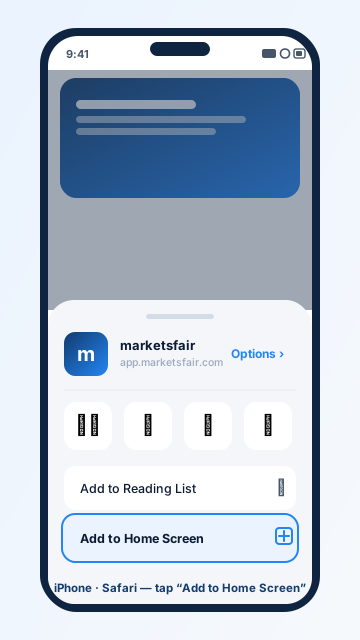
Visit the app.marketsfair.com website using the Safari browser.
It's the square icon with an arrow pointing up, at the bottom of the screen (or top, on iPad).
Scroll down the share menu to find it.
Don't see it? Scroll further — it sits just below the row of app icons.Edit the app name if you like, then tap Add in the top-right corner.
The marketsfair icon now sits on your home screen, ready to launch like any other app.
Launch straight from your home screen — no typing the address each time.
Trade without browser bars getting in the way of the view.
A smoother, snappier, app-like feel every time you open it.
No heavy download and no storage-hungry install required.
Thank you for visiting marketsfair
Please note that marketsfair does not accept traders from your country

marketsfair does not accept traders from your country
